Integration paths for your systems and workflows

Integration Directory

See the status, prerequisites, and boundaries of each integration before you move into implementation or technical review.

This page is for teams that need to decide what should happen after a conversation, request, or data point is captured. If the next step is to register a lead in CRM, create a ticket, start a workflow, create a task, place an assistant on a website, or connect another system through APIs and webhooks, this directory brings the approved paths into one view.

Each path shows the current status, the main prerequisite, and the most important boundary. That makes it easier to see what is Ready, what is Limited by a defined condition, and what needs a Custom technical scope before a commitment is made.

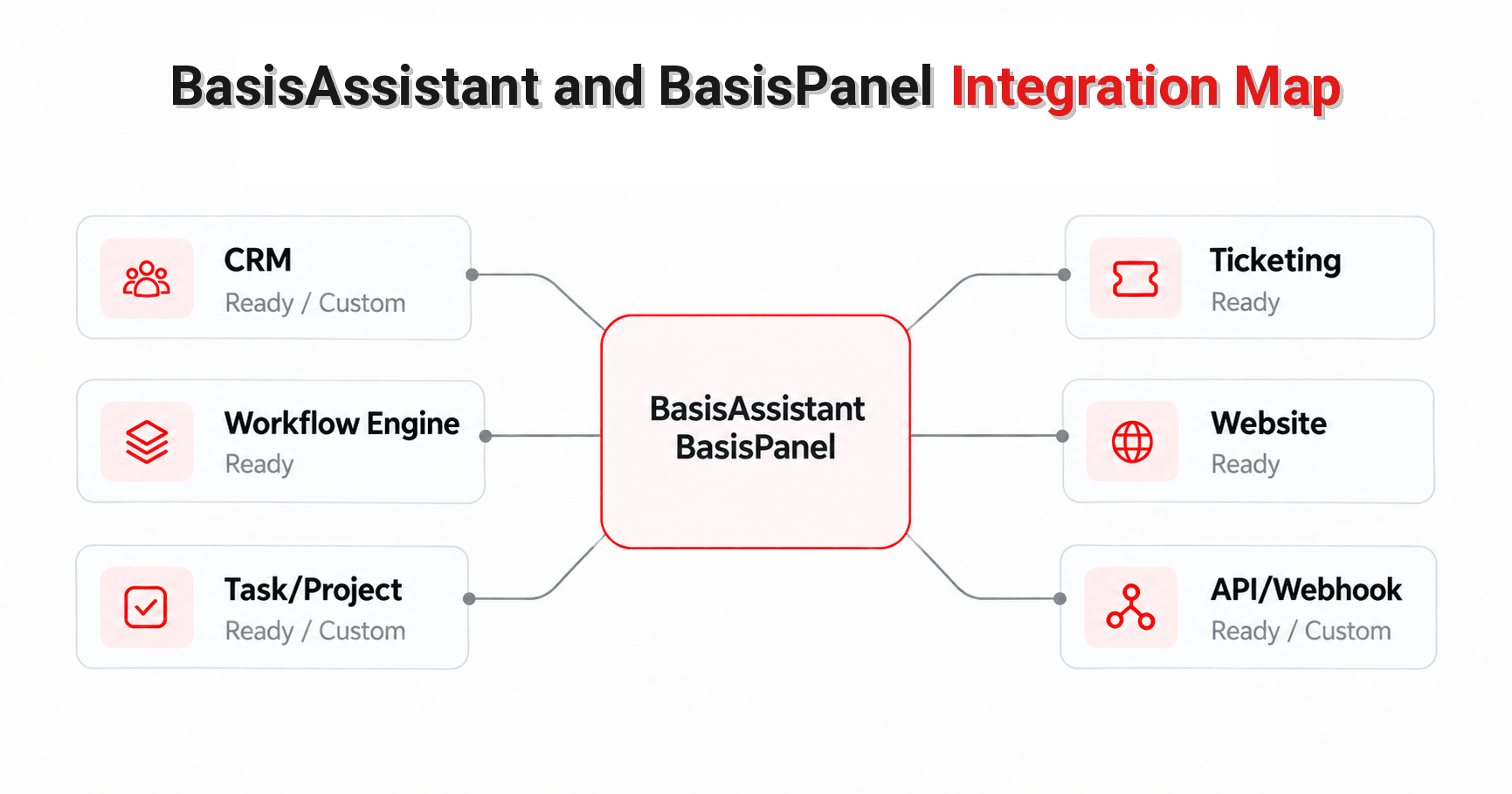
Conceptual map of BasisAssistant and BasisPanel integration paths for CRM, ticketing, workflows, websites, task and project management, APIs, and webhooks.
Status and boundaries are shown on each integration card.

Choose the integration path that matches the job

Each card gives you the information needed to choose a path. Implementation detail stays on the dedicated integration page.

An integration is useful only when the data, action, and destination are clear. This directory therefore focuses on the business use, current status, and main boundary of each path instead of repeating the full capability set from the dedicated integration pages.

AI Assistant + CRM

Ready / Custom

Primary use: Capture leads, maintain customer history, and continue follow-up

This path is for scenarios where lead or customer information needs to be recorded and carried forward inside the Integrated CRM in BasisPanel. The CRM capability is active and public, and it can support customer and sales processes within BasisPanel.

Migration from an existing CRM is a separate service delivered after assessment and a defined SOW. Ongoing synchronization with an existing CRM is also treated as Custom work within a defined SOW.

No third-party CRM or connector is currently approved for public listing as a Ready connector. The directory therefore does not name an external CRM as prebuilt or guaranteed.

AI Assistant + Ticketing

Ready / Custom

Primary use: Create, route, and follow up on tickets

The core connection between BasisAssistant and the Ticketing module in BasisPanel is already available. For a live use case, intent, ticket schema, fields, routing rules, roles, and workflow are configured around the customer scenario rather than rebuilding the connection from zero.

Tickets can be created, categorized, routed, and followed up within the rules and data structure defined for the scenario. Access to ticket information remains role-based.

A Ready path here does not mean there is a prebuilt connector for every third-party ticketing product. Requirements outside standard configuration are reviewed as a separate technical scope.

AI Assistant + BPMS

Ready / Limited

Primary use: Start, act on, and follow defined workflows

The approved connection is between BasisAssistant and the internal Workflow Engine used in the Manzoomeh ecosystem. Within a designed workflow and permitted access scope, BasisAssistant can trigger defined actions and receive workflow status or results.

This path is available in Enterprise plans. The Workflow Engine must be active, the relevant workflow must already be designed, and the required roles and access levels must be in place.

This Ready status applies to the internal Workflow Engine. A prebuilt public connection to external BPMS products is not part of this page scope.

Primary use: Place the assistant on a website or provide it through a dedicated assistant page

Two standard deployment methods are approved for this path: an assistant Widget on a website and a Dedicated Assistant Page.

The Widget is installed with a dedicated embed code on any website that can run JavaScript or embed code. It may run on an authorized domain or subdomain. A subdomain is therefore a location where the Widget can run, not a separate deployment method.

The Dedicated Assistant Page is hosted on Manzoomeh infrastructure. Direct API connection is a separate technical integration path and is not presented as a third standard website deployment method.

Primary use: Create tasks and follow work and project progress

The primary Ready destination is the Task/Project module inside BasisPanel. Within the user’s permitted role and project scope, the assistant can work with tasks, retrieve status, and use project information according to the defined schema and policies.

This capability is delivered as an Add-on. BasisAssistant and the Task/Project module must be active, and the project, roles, permissions, and required schemas need to be prepared.

The assistant does not autonomously choose deadlines or priorities without an explicit input or defined system rule. External task or project systems are handled as project-based integrations through the destination API after technical compatibility review.

API & Webhooks

Ready / Limited / Custom

Primary use: Exchange data and events with custom or external systems

API and Webhook capabilities are available for supported customer scenarios. APIs can be used to exchange approved data and execute permitted operations in BasisPanel, while webhooks can send supported events to another system when a defined event occurs.

Access depends on an active Workspace, an eligible plan, an authorized technical or management role, valid credentials, and technical approval where required. Documentation and test access are controlled rather than assumed to be public and anonymous.

Public fixed limits for request volume, payload size, event count, or endpoint count are not stated on this page. Deeper or bespoke third-party integrations may require a separate technical review, mapping, and project scope.

What do Ready, Limited, and Custom mean?

An integration status is valid only within the scope that has been approved for that path.

Ready

Ready

The capability or integration can be offered within the stated product scope. Ready does not necessarily mean zero setup. Roles, intents, schemas, workflows, mapping, or initial activation may still be required.

Limited

Limited

The capability exists, but use depends on a defined condition such as an eligible plan, an active Workspace, the right role and permissions, a specific module, or only the supported scenario set.

Custom

Custom

The requirement falls outside the standard scope and needs a separate technical review, API or data mapping, project scope, SOW, or bespoke development.

The same business scenario can be Ready when it uses an internal BasisPanel module and Custom when it needs to connect to an external third-party product. The status on a card should therefore not be interpreted as universal compatibility with every system in that category.

Define four things before you choose an integration

A system name alone is not enough to design an integration.

1.

What needs to happen?

Start with the action. Should the system create a lead, open a ticket, start a workflow, create a task, place the assistant on a website, or send data to another system?

2.

What are the data source and destination?

Define where the information comes from and where it should be stored or used. Data type, record destination, and transfer timing can all affect the integration design.

3.

Who is allowed to see or perform the action?

Role, scope, and permission are part of the integration design. An integration should not bypass the access rules defined in the Workspace or destination module.

4.

Is the destination inside BasisPanel or an external system?

Connecting BasisAssistant to an internal module such as Ticketing, Workflow Engine, or Task/Project is different from connecting to a third-party product. External integrations may require API access, destination permissions, data mapping, and a separate technical scope.

Integration FAQs

 Does Ready mean the integration works with no setup at all?

No. Ready means the capability or connection can be offered within the approved scope. Live use may still require roles, intents, schemas, workflows, mapping, credentials, or other configuration.

 Can BasisAssistant connect to any external CRM, ticketing platform, or BPMS?

That is not an approved blanket claim. The CRM, Ticketing, and BPMS paths in this directory primarily describe approved BasisPanel capabilities and internal modules. A third-party connection must be reviewed against the destination API, permissions, data scope, and technical compatibility.

 Is a subdomain a separate deployment method for the website assistant?

No. The two standard deployment methods are the website Widget and the Dedicated Assistant Page. A Widget may run on an authorized domain or subdomain, so the subdomain is a deployment location rather than a third standalone method.

 What is the approved scope of the BPMS integration?

The approved Ready path is the internal Workflow Engine in the Enterprise environment. The Workflow Engine must be active, the relevant workflow must already be designed, and the required access must be defined. A prebuilt public connection to external BPMS products is not included in this scope.

 Are APIs and webhooks available to every user without restrictions?

No. Access is controlled and depends on an active Workspace, an eligible plan, an appropriate role, valid credentials, and technical approval where required. This page does not publish a fixed public limit for requests, events, endpoints, or data volume.

 If our system is not listed here, does that mean integration is impossible?

Not necessarily. If a system is not listed, it means a Ready public connector has not been confirmed in the current sources. A custom or third-party integration can still be evaluated against the destination API, permissions, data mapping, and project scope.

Clarify the integration boundary before implementation

If you know the destination system, the data involved, and the action you expect, a focused review can confirm whether the path is Ready, Limited by a defined condition, or requires a Custom technical scope.

If you need to confirm whether your scenario is Ready, Limited, or Custom, review the destination system and required action with the Manzoomeh team.